GSoC 2026: Persistent and Scheduled Mass Firmware Upgrades
Published on by Eeshu Yadav
Category: gsoc
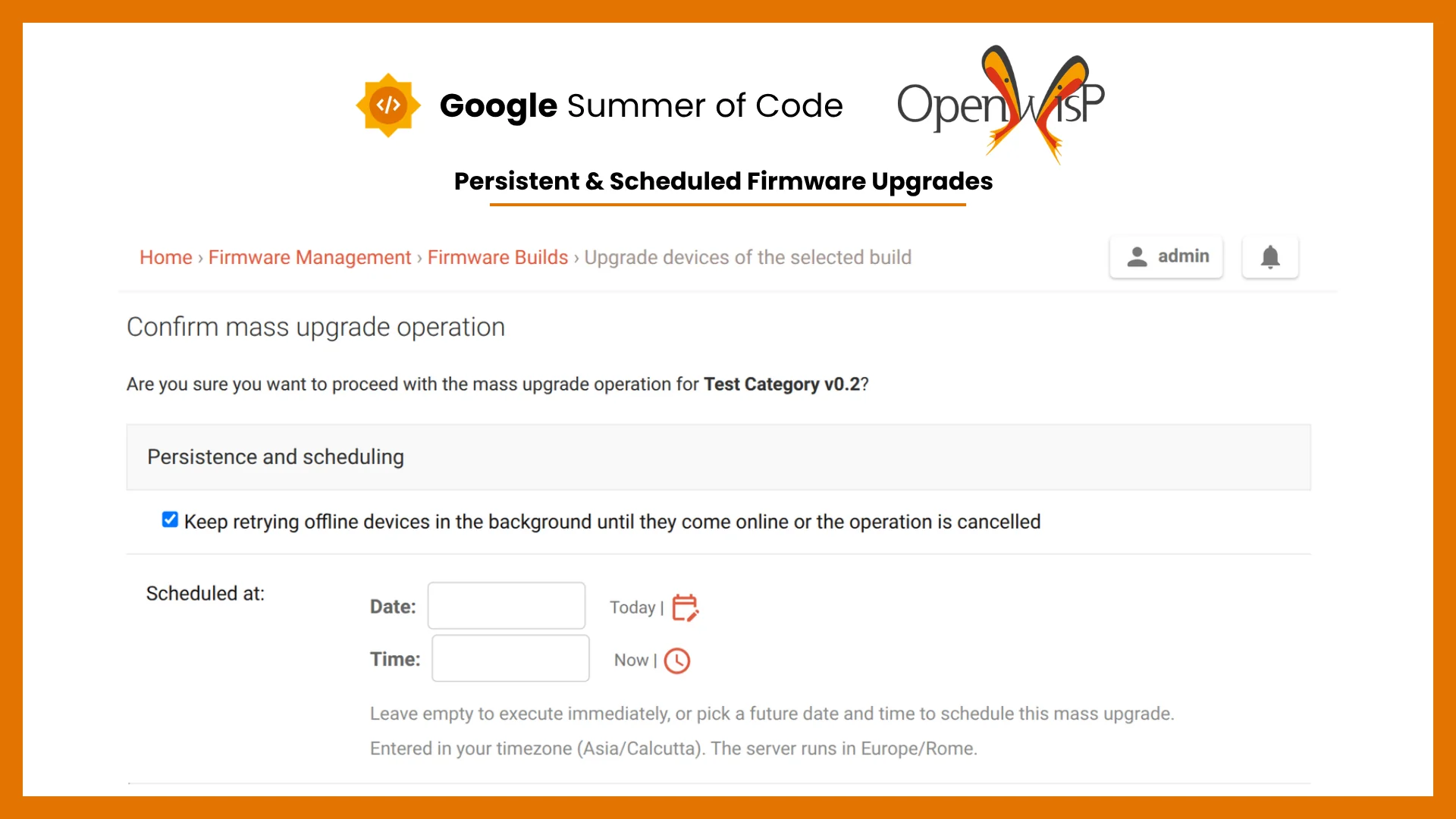
For this year's Google Summer of Code I worked with OpenWISP on the firmware upgrader, mentored by Federico Capoano (nemesifier), Gagan Deep (pandafy) and Oliver Kraitschy (okraits). Last year's GSoC brought mass upgrades and real-time progress tracking to the firmware upgrader. My job this year was to take that further in two directions: let a mass upgrade keep going on its own when devices are offline, and let operators decide when it runs.
About the Project
Until now, a mass firmware upgrade ran the moment you launched it, one Celery task per device. As long as every target was reachable, that worked fine. The catch is that a real deployment almost never is: on a large network there are always a few devices you cannot reach the instant you need them, whether they are switched off, restarting, or on a link that keeps dropping out. When one of those is unreachable as the upgrade fires, its task fails then and there, and it is left for an operator to spot and run again. Across a few hundred access points, hunting down the ones that missed the rollout is slow and easy to get wrong.
There was also no way to line an upgrade up ahead of time. If you wanted to flash firmware at 2 a.m. during a maintenance window, you had to actually be there at 2 a.m. to click the button.
The project tackles both:
- Persistent Mass Upgrades keep an upgrade alive for a device that is offline, quietly re-attempting it until the device is reachable, instead of giving up the first time it misses.
- Scheduled Mass Upgrades let you pick a future time, so a rollout runs in its window without anyone sitting at the keyboard.
Features Implemented
Persistent Mass Upgrades
Turning it on is a single checkbox on the confirmation page, ticked by default. When it is enabled, a device that does not answer is not written off. The operation drops into a pending state and a background task keeps coming back to it, waiting longer between tries each time so a device that is down is not being poked every minute.
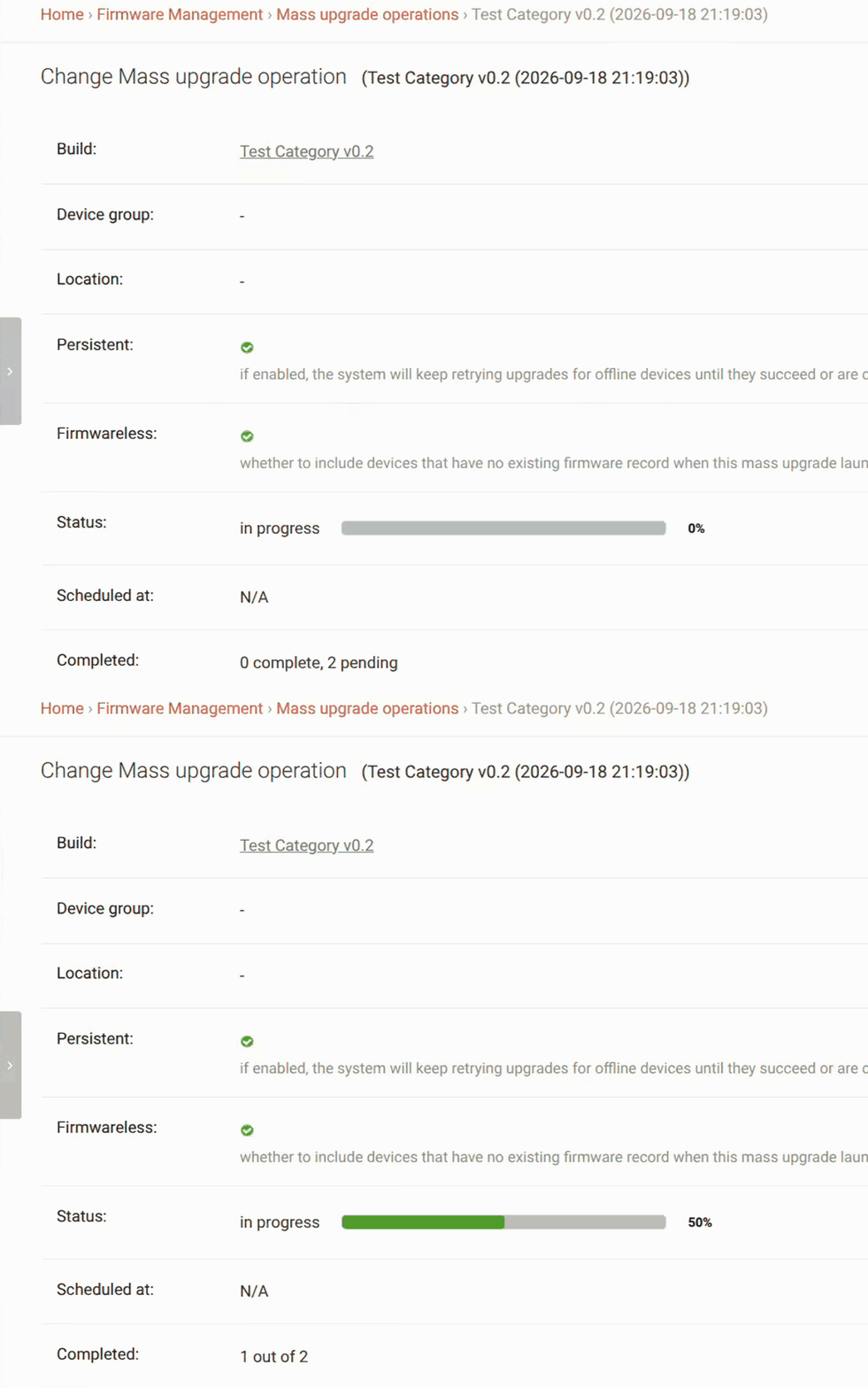
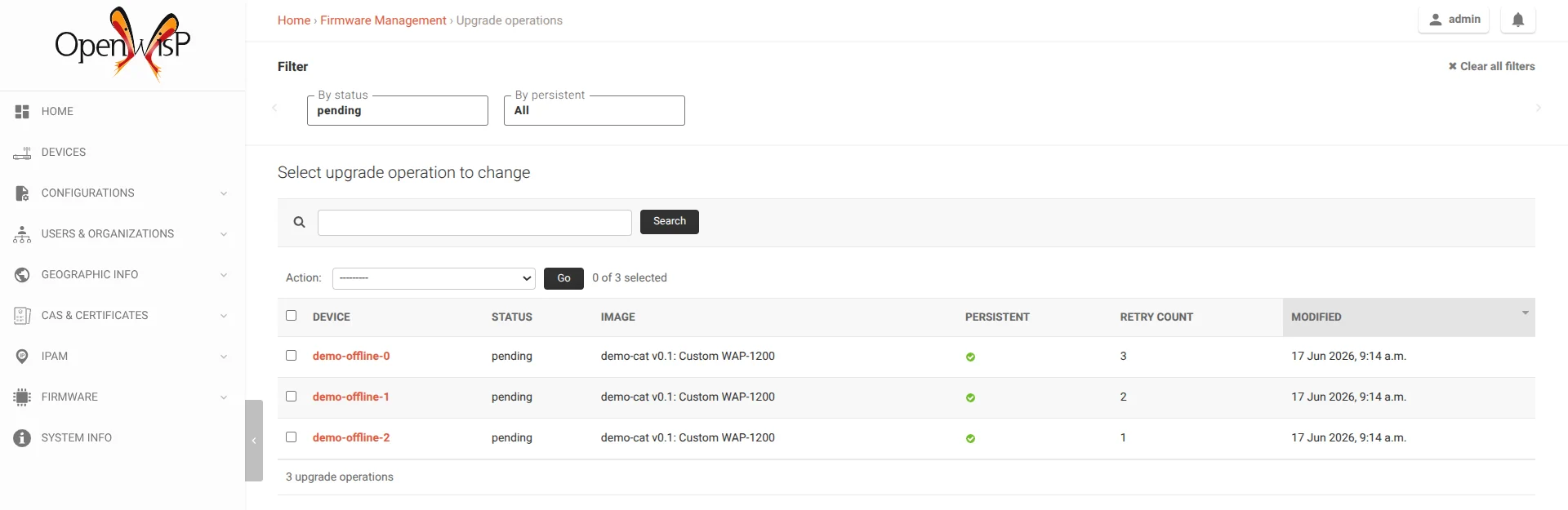
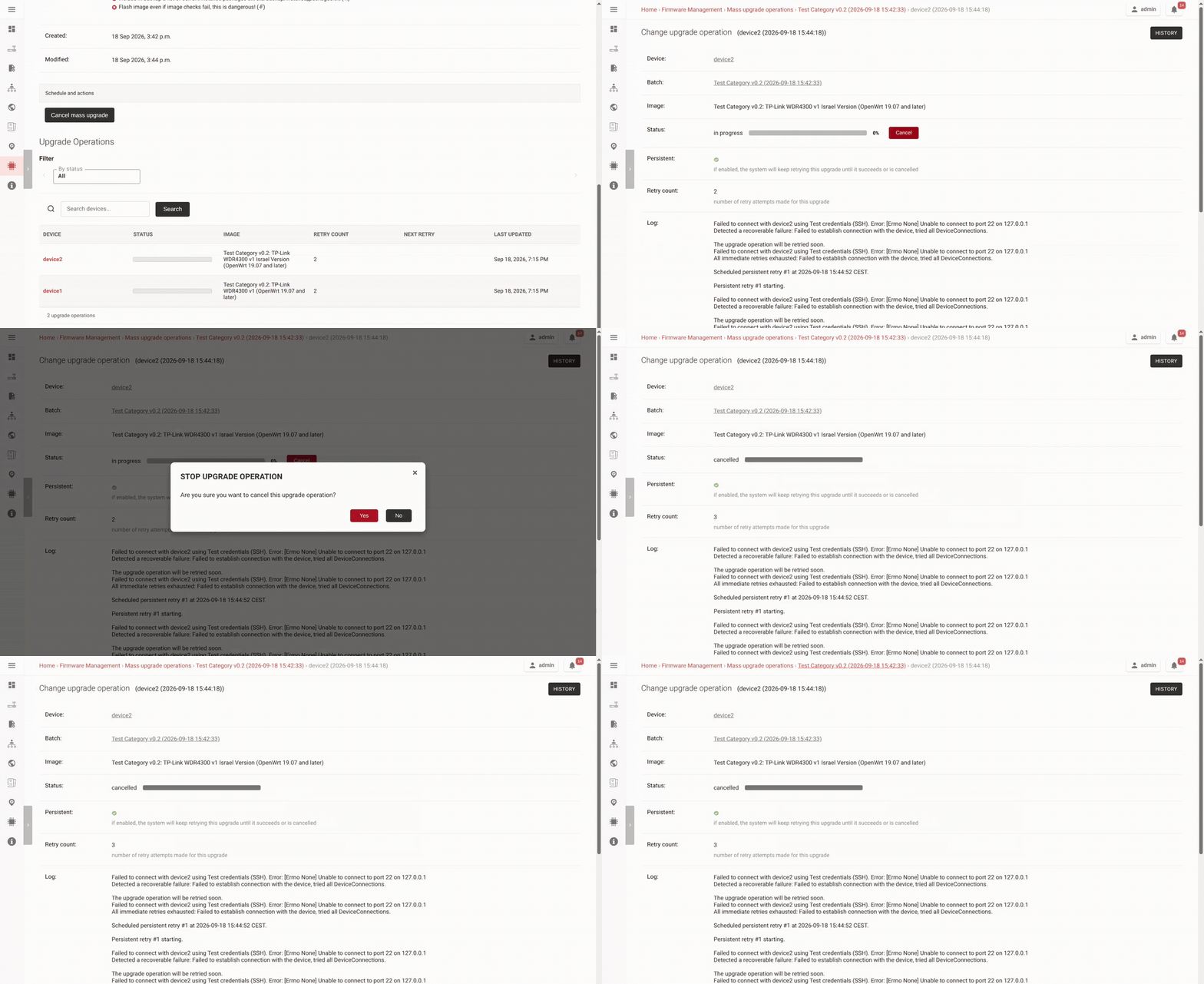
Every operation now carries three extra pieces of state: the persistent flag itself, a running count of how many attempts it has taken, and the time its next try is due. In the admin you can filter the operations list to the ones still pending and read the persistent flag and retry count for each.
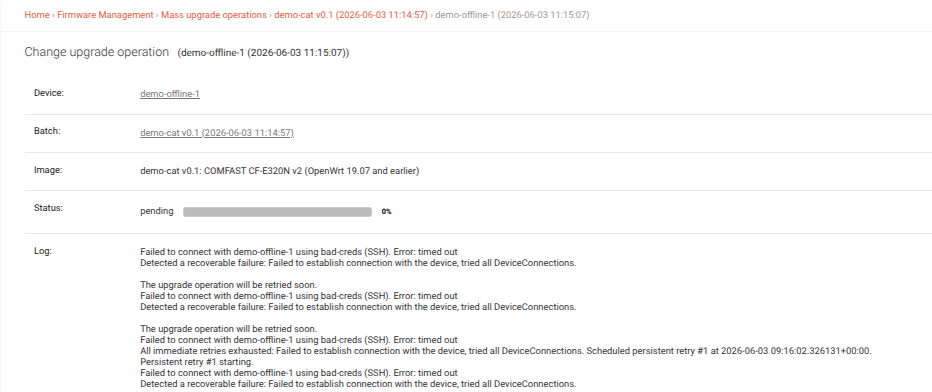
If OpenWISP Monitoring is installed, the retry does not have to wait for the next scan at all: when monitoring sees a device recover, the waiting upgrade goes to a worker at once. Without monitoring there is a fallback: a periodic task wakes pending upgrades on a randomized exponential backoff, so they are spread out rather than all firing at once.
You can cancel a persistent upgrade from the admin or the REST API: a pending operation stops retrying at once, and an in-progress one can still be cancelled up until firmware flashing begins — below about 65% progress. Once the flash is underway it runs to completion.
Put together, an upgrade operation moves through the states below. The loop between in-progress and pending is what persistence adds; the four terminal states are the ones the upgrader already had.
%%{init: {"theme": "base", "themeVariables": {
  "lineColor": "#8b949e", "textColor": "#1f2933", "nodeTextColor": "#1f2933",
  "edgeLabelBackground": "#f1f3f5"
}, "flowchart": {"rankSpacing": 80}}}%%
flowchart TB
START["Start upgrade"] --> IP["in-progress"]
IP -->|"Device offline"| PE["pending"]
PE -->|"Retry"| IP
IP -->|"All good"| OK["success"]
IP -->|"Errors"| FA["failed"]
IP -->|"Cannot continue"| AB["aborted"]
IP -->|"User cancels"| CA["cancelled"]
PE -->|"User cancels"| CA
PE -->|"Device deactivated"| AB
PE -.-> RETRY["Automatic retries
with increasing delays"]
classDef entry fill:#dbeafe,stroke:#2563eb,color:#1e3a8a,font-weight:bold
classDef active fill:#ed7800,stroke:#b35b00,color:#ffffff,font-weight:bold
classDef waiting fill:#fff1e0,stroke:#ed7800,color:#1f2933,font-weight:bold
classDef success fill:#2f855a,stroke:#276749,color:#ffffff,font-weight:bold
classDef failure fill:#c53030,stroke:#9b2c2c,color:#ffffff,font-weight:bold
classDef stopped fill:#4a5568,stroke:#2d3748,color:#ffffff,font-weight:bold
class START entry
class IP active
class PE,RETRY waiting
class OK success
class FA failure
class AB stopped
class CA stopped
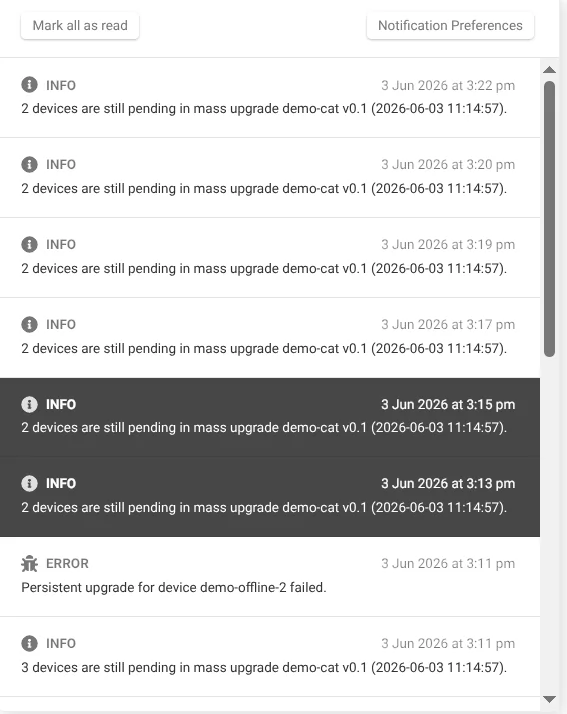
And if one keeps failing for a reason that needs a person, OpenWISP raises a notification, then repeats a reminder on a configurable cadence (about every two months by default) while the upgrade is still unresolved, so a forgotten device does not sit pending forever. The reminders in the screenshot below are closer together because the demo uses a shortened interval.
Pull Requests:
Scheduled Mass Upgrades
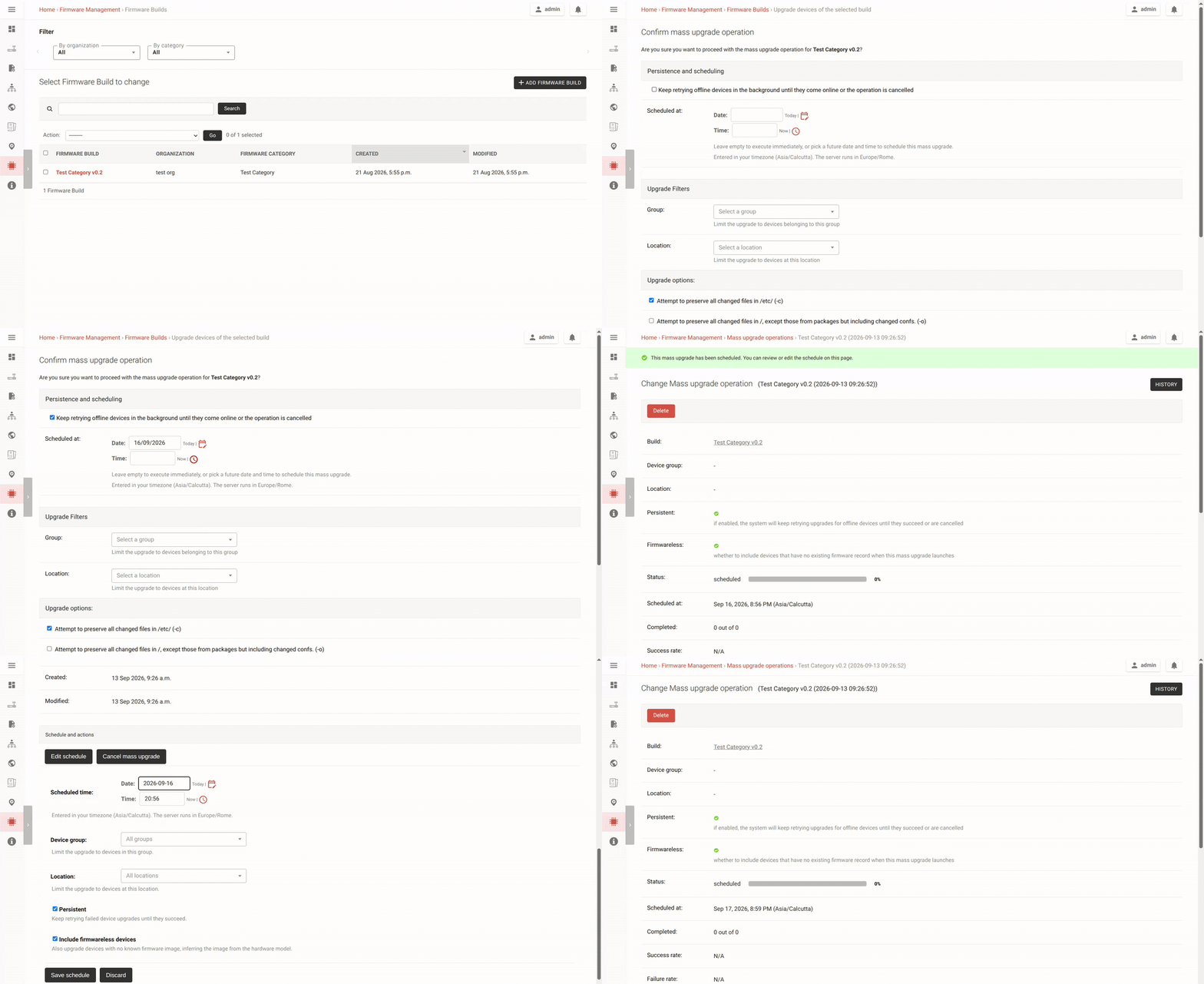
Scheduling adds one optional field to the confirmation page: a date and time. Leave it blank and nothing changes, the upgrade runs immediately. Set it and the rollout waits until then.
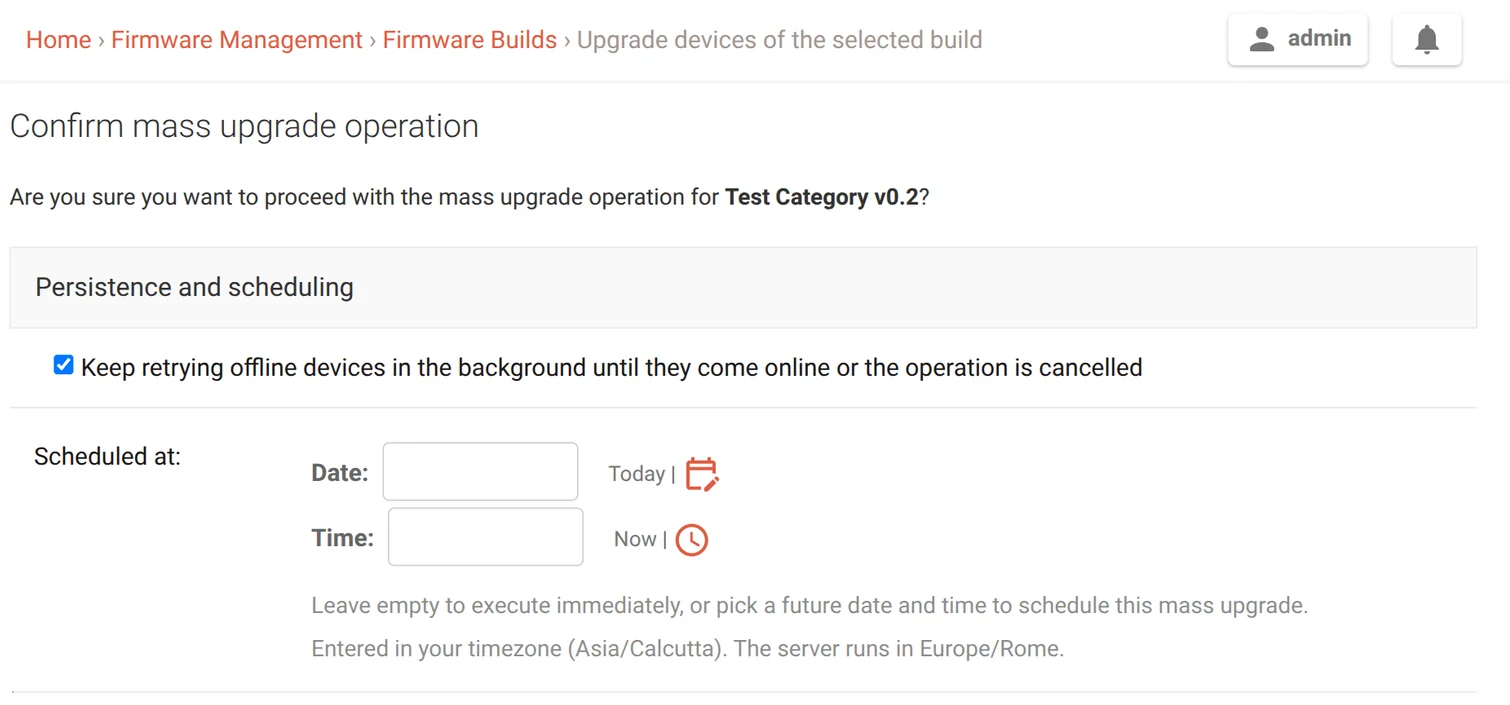
You enter the time in your browser's timezone; it is stored in UTC and shown back to you with the zone named, so there is no doubt about what "2 a.m." meant. It is checked to fall inside a sensible window — by default at least ten minutes out and no more than six months away, both bounds configurable — so a slipped finger on the date field cannot quietly queue a rollout for next year.
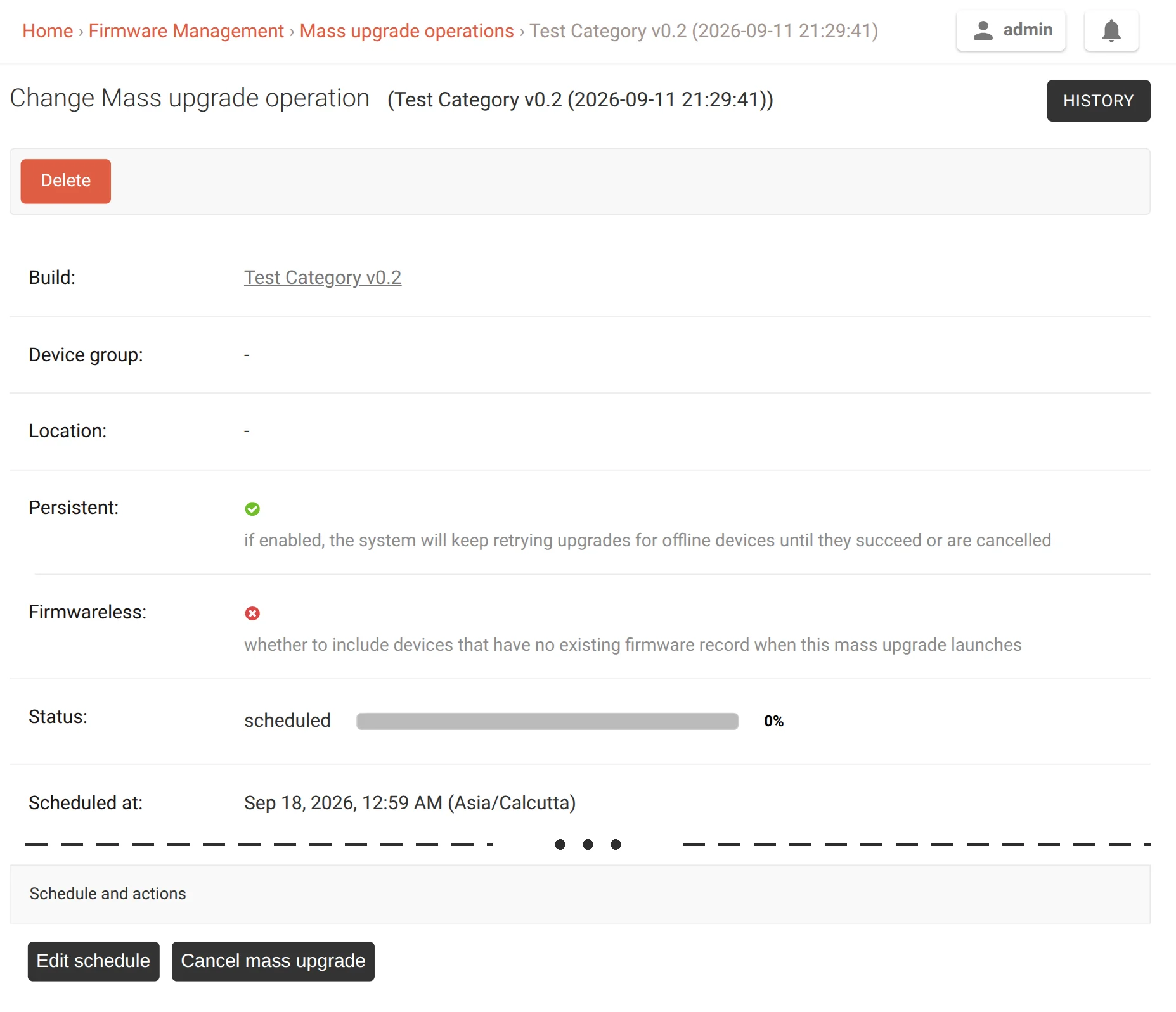
A scheduled batch sits in its own scheduled status, and while it is there you can still edit the time or cancel it. Instead of handing Celery an eta for a task that might be months out (which is not reliable that far ahead), a Celery Beat task scans once a minute for upgrades that are due and launches them. Everything is re-checked at that point — the matching devices, their firmware, and any conflicting rollout — because plenty can change between scheduling a rollout and running it.
End to end, from the confirmation page to the completion notification, the pipeline looks like this:
%%{init: {"theme": "base", "themeVariables": {
  "lineColor": "#8b949e", "textColor": "#1f2933", "nodeTextColor": "#1f2933",
  "edgeLabelBackground": "#f1f3f5"
}, "flowchart": {"wrappingWidth": 260, "nodeSpacing": 30, "rankSpacing": 25}}}%%
graph TD
A["Start mass upgrade"] --> Q{"Schedule it?"}
Q -->|"No"| NOW["Start now"]
Q -->|"Yes"| V{"Valid schedule?"}
V -->|"No"| REJ["Rejected"]
V -->|"Yes"| S["Scheduled"]
S -->|"User cancels"| CAN["Cancelled"]
S --> BEAT["Check schedule"]
BEAT -->|"Time reached"| CHK{"Ready to start?"}
CHK -->|"No eligible devices or conflict"| FAIL["Not started"]
CHK -->|"Yes"| RUN["Start upgrade"]
RUN -.->|"Retry on next scan"| S
RUN --> OPS["Upgrade devices"]
NOW --> OPS
OPS --> DONE["Complete"]
classDef entry fill:#dbeafe,stroke:#2563eb,color:#1e3a8a,font-weight:bold
classDef active fill:#ed7800,stroke:#b35b00,color:#ffffff,font-weight:bold
classDef waiting fill:#fff1e0,stroke:#ed7800,color:#1f2933,font-weight:bold
classDef failure fill:#c53030,stroke:#9b2c2c,color:#ffffff,font-weight:bold
classDef stopped fill:#4a5568,stroke:#2d3748,color:#ffffff,font-weight:bold
classDef success fill:#2f855a,stroke:#276749,color:#ffffff,font-weight:bold
class A,BEAT entry
class Q,V,CHK waiting
class NOW,RUN,OPS active
class S waiting
class FAIL,REJ failure
class CAN stopped
class DONE success
linkStyle default stroke:#8b949e,stroke-width:1.5px
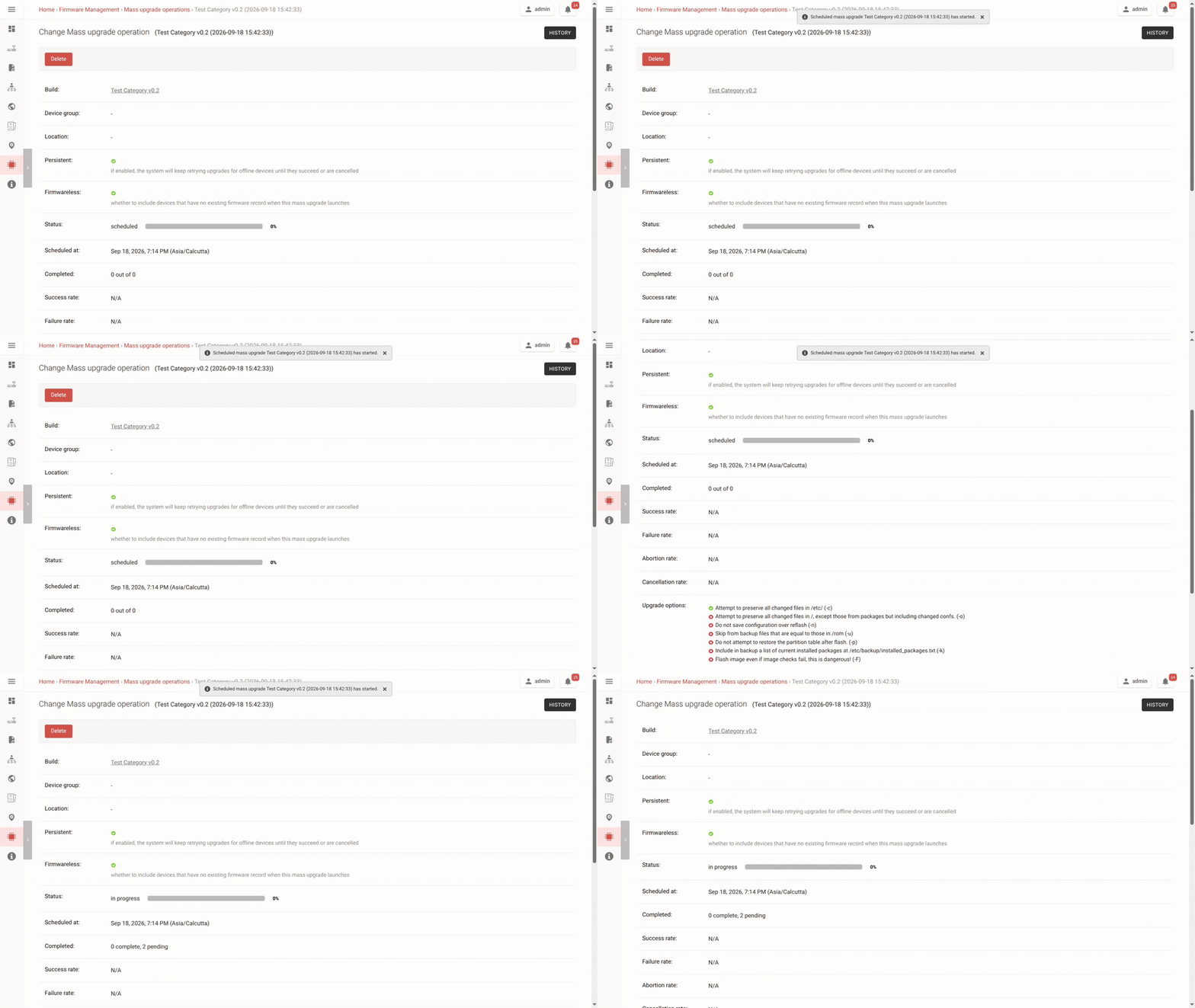
Operators get a notification when a scheduled upgrade starts and when it is done. And since scheduling sits on top of the persistence work, a scheduled upgrade that starts and hits a few offline devices just keeps retrying them, with nothing extra to configure.
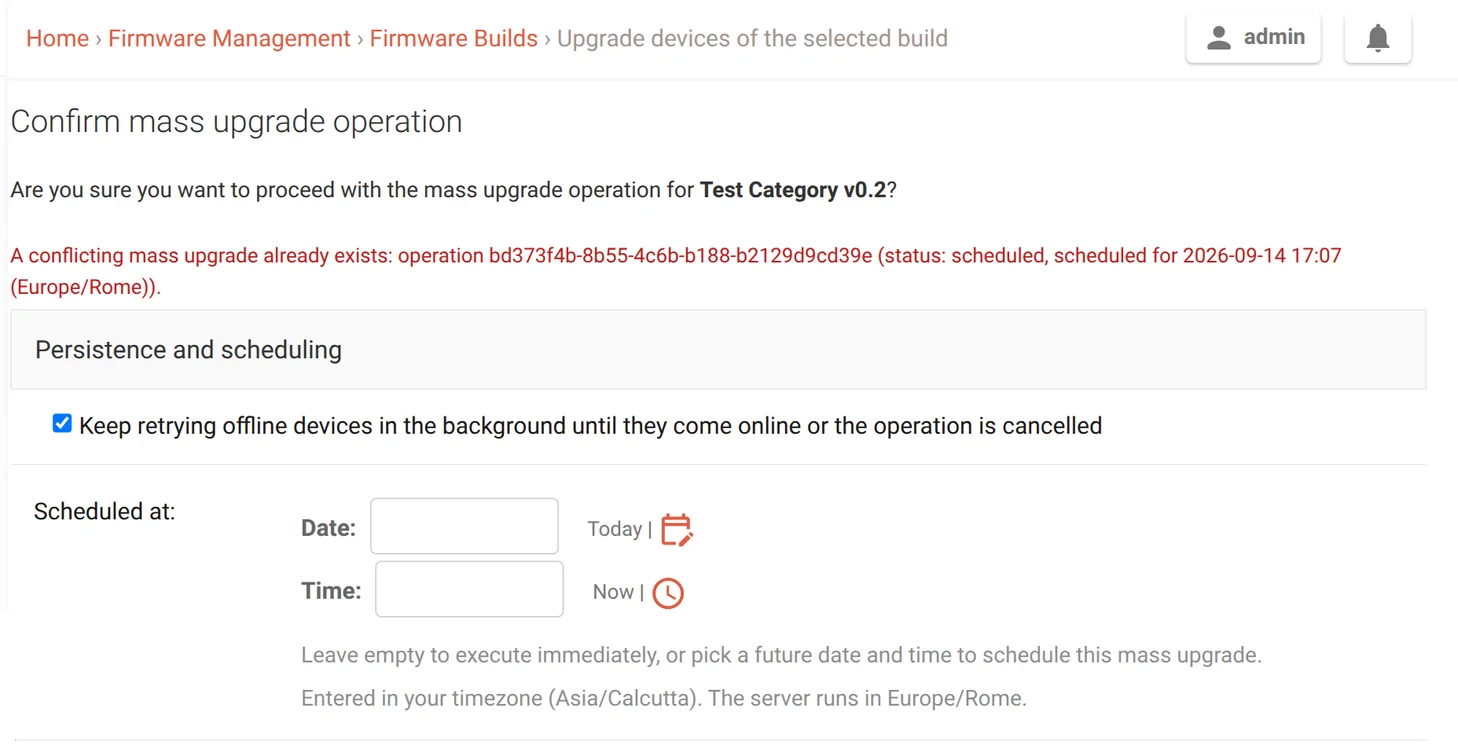
The long horizon also means two rollouts can end up aimed at the same devices, so a new mass upgrade that overlaps an existing one is rejected rather than letting the two collide.
Pull Requests:
Current state
Both features are complete and in final review, with the same capabilities in the Django admin and the REST API, openwisp_firmware_upgrader/tests/test_selenium.py browser tests for the scheduling flow, and documentation with screenshots. The work is tracked in issue #379 for the persistent retries and issue #380 for the scheduled execution, and is going in through [feature] Add persistent and scheduled mass upgrades #492 for the next release.
Driving it over the REST API takes the same two options. A POST to a build's upgrade endpoint with is_persistent and an optional, timezone-aware scheduled_at launches the rollout now or queues it for later:
POST /api/v1/firmware-upgrader/build/<build-uuid>/upgrade/

{
    "is_persistent": true,
    "scheduled_at": "2026-10-15T02:00:00+05:30"
}
Leave scheduled_at out to upgrade immediately. The backoff schedule, reminder cadence and scheduling window are all tunable through settings such as OPENWISP_FIRMWARE_UPGRADER_PERSISTENT_RETRY_OPTIONS and OPENWISP_FIRMWARE_UPGRADER_SCHEDULE_MIN_DELAY. The new fields will land in the REST API reference once this ships.
My Experience
I came into this project comfortable with Django but with little sense of how much care a feature needs before it is safe to ship. Closing that gap is what I am taking away from the summer. My mentors did not let much slide in review, and the code is better for it. A few things stuck with me in particular.
Timezones were the first surprise. Once you let people pick a wall-clock time, you inherit all of daylight saving: times that never happen because a clock jumps forward, and times that happen twice because it falls back. The scheduler has to reject the first kind and pin down the second, and getting that right took more test cases than the feature itself.
The scheduler was the second surprise. A Beat task scanning every minute and workers picking up batches means the same upgrade can be looked at from two places at once, so the launch and recovery paths had to be written so a batch is never started twice and never left stuck half-way, even if a worker dies mid-launch. Working those out on paper and then getting a test to actually trigger them took longer than anything else in the project, and it is the part I am happiest with.
The rest was learning the codebase's habits: how Celery runs inline in the tests but for real in production, when a queryset is safe to stream and when it will quietly break under a per-row transaction, and how to slice a big feature into pull requests small enough to actually review. A good part of what I picked up came from just reading other contributors' pull requests and the review threads on them, and I would like to keep doing that here now that GSoC is wrapping up.
What's Next?
The main thing left is closing out the review on the final pull request so persistent and scheduled upgrades land in an upcoming firmware upgrader release.
There is also one edge I want to tighten: if the group or location a scheduled upgrade targets is deleted before it runs, that should fail loudly rather than silently widening to the whole category.
The upgrader still has plenty I want to get to, so I do not plan to disappear once this merges. Thanks to Federico Capoano (nemesifier), Gagan Deep (pandafy), and Oliver Kraitschy (okraits) for the mentorship, and to the OpenWISP community for a genuinely good summer.